My Store
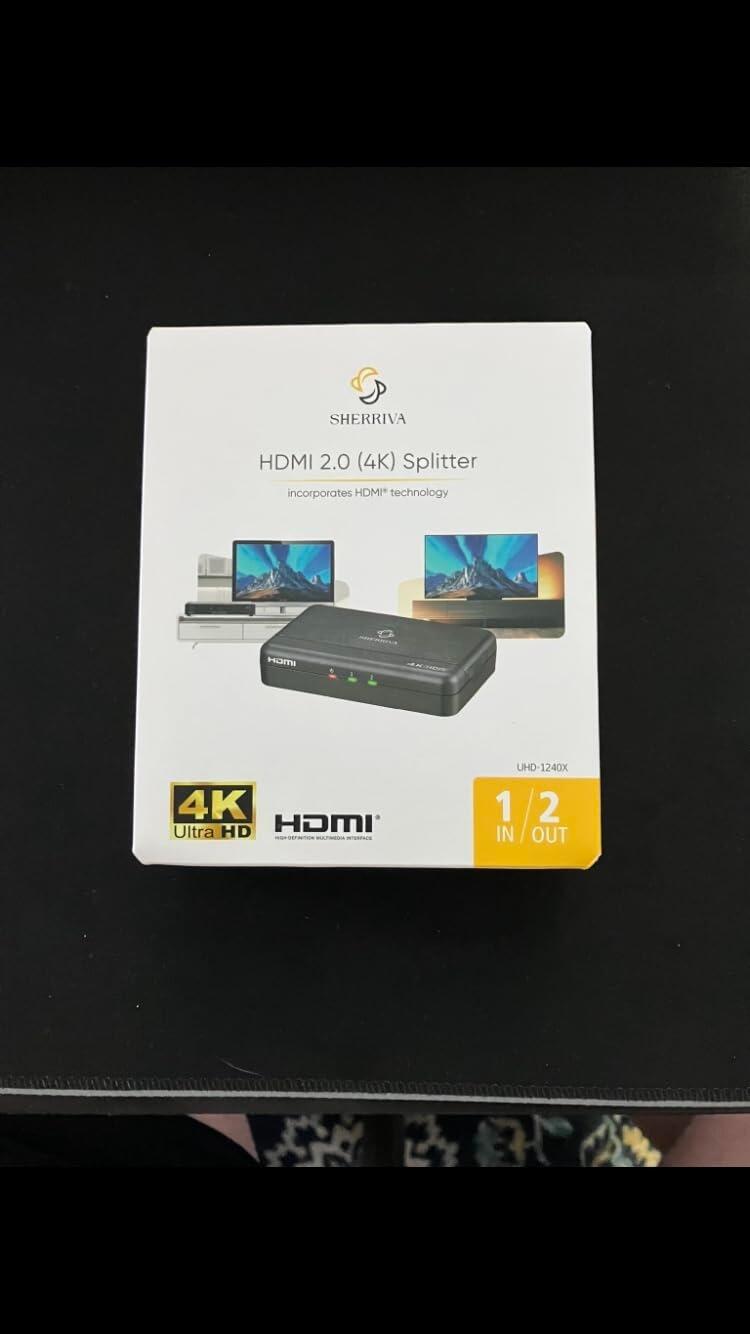
4K HDMI Splitter 1 in 2 Out – 4K@60Hz, 1080p@240Hz, HDMI 2.0
Couldn't load pickup availability
The UHD-1240X is a 1-in / 2-out HDMI splitter that distributes one HDMI source to two HDMI devices simultaneously. Connect TVs, monitors, projectors, capture cards, amplifiers, and other HDMI equipment with the same mirrored content. Mirror only.
Supports 4K@60Hz, 1080p@240Hz, and 18Gbps bandwidth for stable video transmission. Auto EDID and downscaling optimize compatibility between different resolutions, including mixed 4K and 1080p devices.
Made for Flexible HDMI Distribution
- Auto EDID & Downscaling: Automatically adjusts output settings to reduce compatibility issues and black screens.
- Premium Audio & Video: Supports HDR, Dolby Vision, Dolby Atmos, and HDCP 2.2. Not compatible with eARC systems.
- Wide Compatibility: Works with PS5, Xbox, Nintendo Switch, PCs, streaming devices, TVs, monitors, projectors, capture cards, and amplifiers.
Ideal for gaming, classrooms, offices, retail displays, streaming setups, and home entertainment.
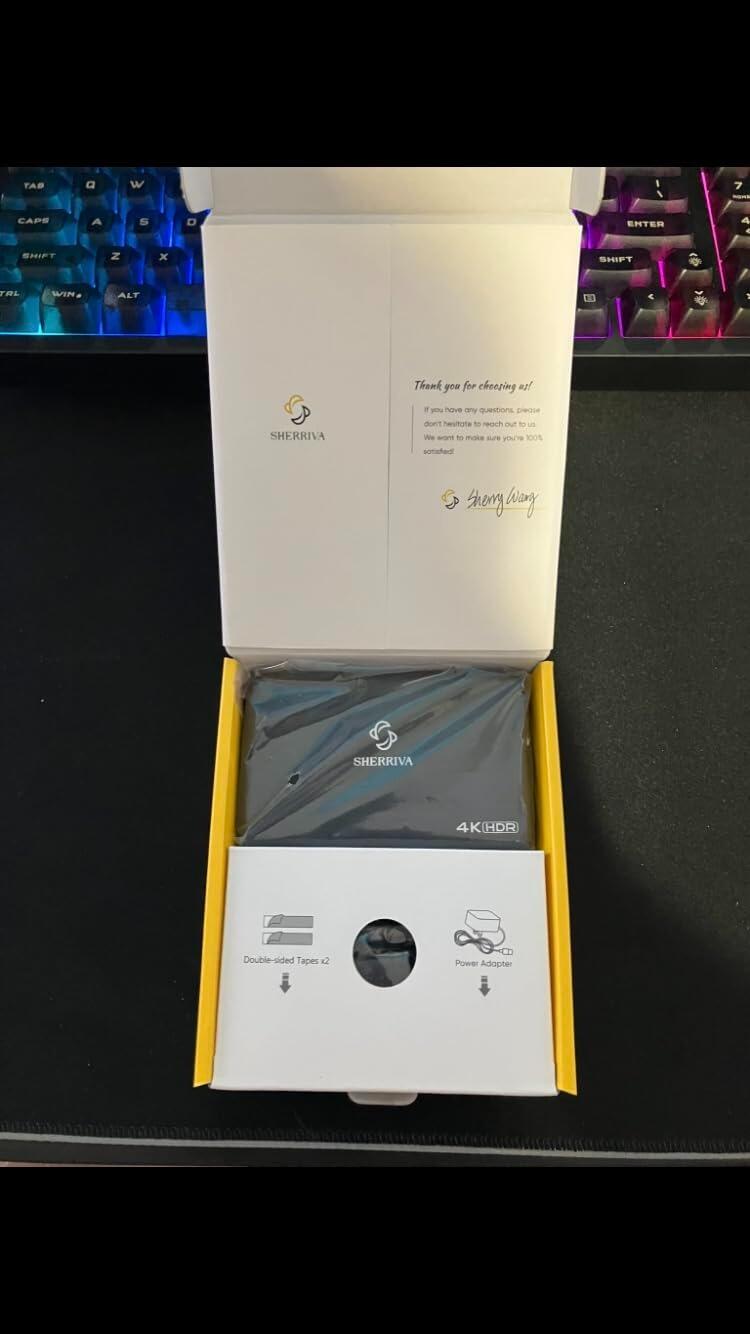
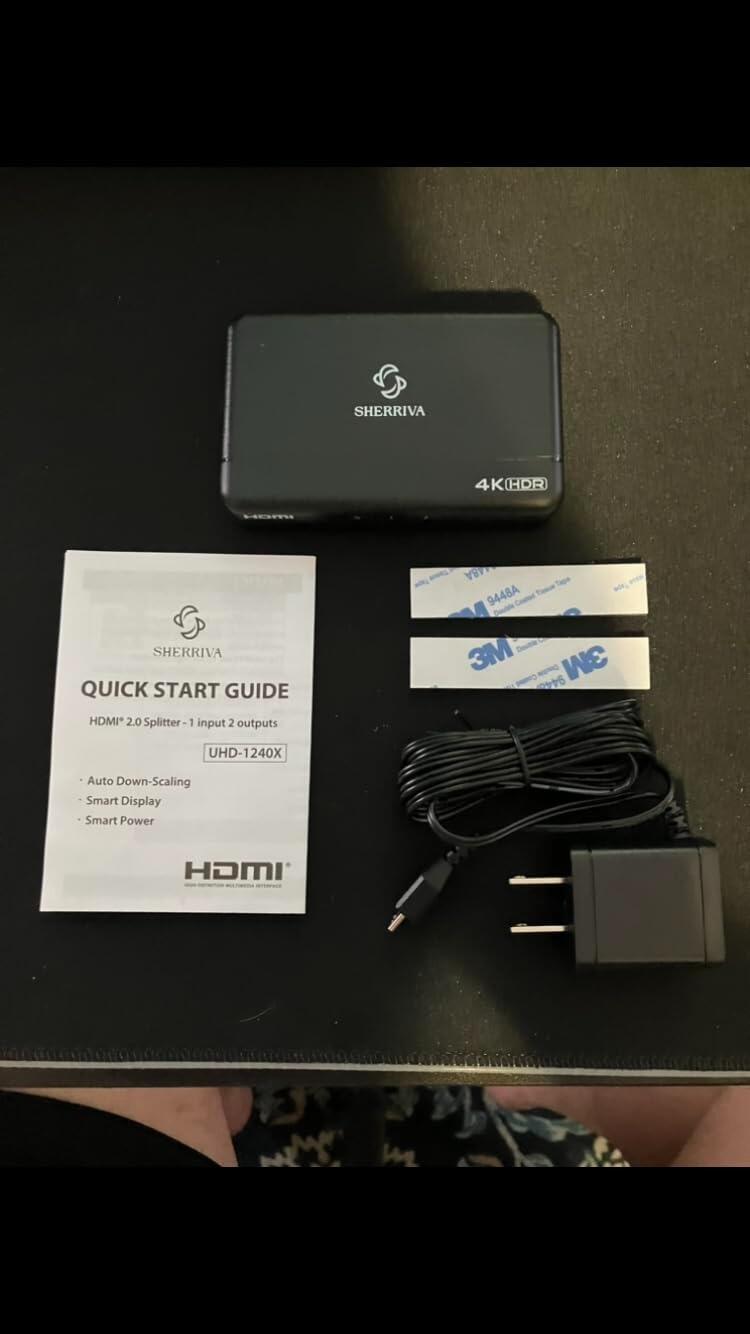
What’s in the Box: 1x UHD-1240X HDMI Splitter, 2x Double-sided Tapes, 1x DC 5V Power Adapter, 1x User Manual.
*Please note: The listed price does not include any local taxes, VAT, duties, or import fees, which may be charged upon delivery.
Share

Video
Below for your information:
| Version Bandwidth | Supported Resolution | Corresponding Model |
|---|---|---|
|
HDMI 2.1 Bandwidth 48Gbps |
8K (7680x4320) @60 4K (3840x2160) @60~240 (DSC) 2K (2560x1440) @60~120 1080P (1920x1080) @60~240 |
UHD-1280 / UHD-1480 |
|
HDMI 2.0 Bandwidth 18Gbps |
4K (3840x2160) @60 2K (2560x1440) @60~120 1080P (1920x1080) @60~240 |
UHD-1240 / UHD-1440 |
Product Description
FAQ
Why the HDMI SPLITTER connected to My sound bar, and it did not work?
Our splitter only supports HDMI input and does not support ARC ports. If your soundbar only has an ARC port, it will not be compatible with our splitter.
Does the product flicker during use?
Troubleshooting methods:
- Lower the resolution
- Try using a shorter HDMI cable
- Start by connecting only one cable and test it
No Picture When Switching (1-2 seconds of no picture when switching signal sources)
1. Directly Connect the Device to the TV
- Connect the HDMI device directly to the TV’s HDMI input port, bypassing any intermediary devices (such as an HDMI switch). Check if the no picture issue still occurs. If there is no issue with a direct connection, the problem may be with the switch or other devices.
2. Replace the HDMI Cable
- Replace the HDMI cable and see if this resolves the issue. Choose a high-quality cable that meets the HDMI 2.0 or HDMI 2.1 standards, as this helps ensure stable signal transmission and reduces latency.
3. Replace the Signal Source Device
- Try switching to a different HDMI signal source (e.g., a different device or a different HDMI port) and check if the no picture issue still appears. If only one specific signal source device causes the no picture issue, the problem may be with the device's output.
4. Adjust the HDMI Signal Source Output Settings
- Ensure that the signal source device (such as a gaming console, set-top box, etc.) is set to a resolution compatible with the TV. A resolution that is too high or an unsupported refresh rate can cause no picture. Adjust the device's resolution to match the TV's display capabilities.
No Picture During Normal Use (Occasional no picture during regular viewing)
1. Directly Connect the Device to the TV
- Connect the HDMI device directly to the TV, bypassing the HDMI switch, and check if the no picture issue occurs. If there is no issue, the problem may be with the HDMI switch or its settings.
2. Replace the HDMI Cable
- Try replacing the HDMI cable with a new one and check if there is any improvement. Using cables that meet HDMI 2.0 or HDMI 2.1 standards can help improve signal stability and reduce no picture issues.
3. Replace the Signal Source Device
- Replace the signal source device (such as a gaming console, set-top box, etc.) by plugging it into a different HDMI input port. Check if the no picture issue still occurs. If only a specific device causes the no picture problem, the issue may be with the device itself.
4. Check Power Supply
- If the HDMI device requires external power (such as some gaming consoles or set-top boxes), ensure that the power supply is stable. Unstable voltage could cause the device to malfunction, leading to no picture.
5. Check for Electrical Interference
- Verify if there are any nearby electronic devices (such as wireless routers, Bluetooth devices, etc.) that might be causing interference with the HDMI signal. Signals from these devices could disrupt HDMI stability, resulting in no picture.
6. Test Different HDMI Input Ports
- Try plugging the HDMI device into other HDMI input ports on the TV to see if the no picture issue still occurs. Some HDMI ports may have poor contact or hardware malfunctions.
7. Check If the Device Has Been Continuously Powered On for Extended Periods
- Determine whether the device has been continuously powered on for an extended period. If restarting the device resolves the issue, try turning off and unplugging the device for a reboot to see if the problem persists.
This HDMI spitter works great. Wife wanted a tv in front of her treadmill to watch while she exorcised. Got TV mounted hooked up the cables and was able to mirror off the main cable box. Works great, highly recommend if this is what you're trying to do. Did not have to pay extra for a tv hookup from cable.
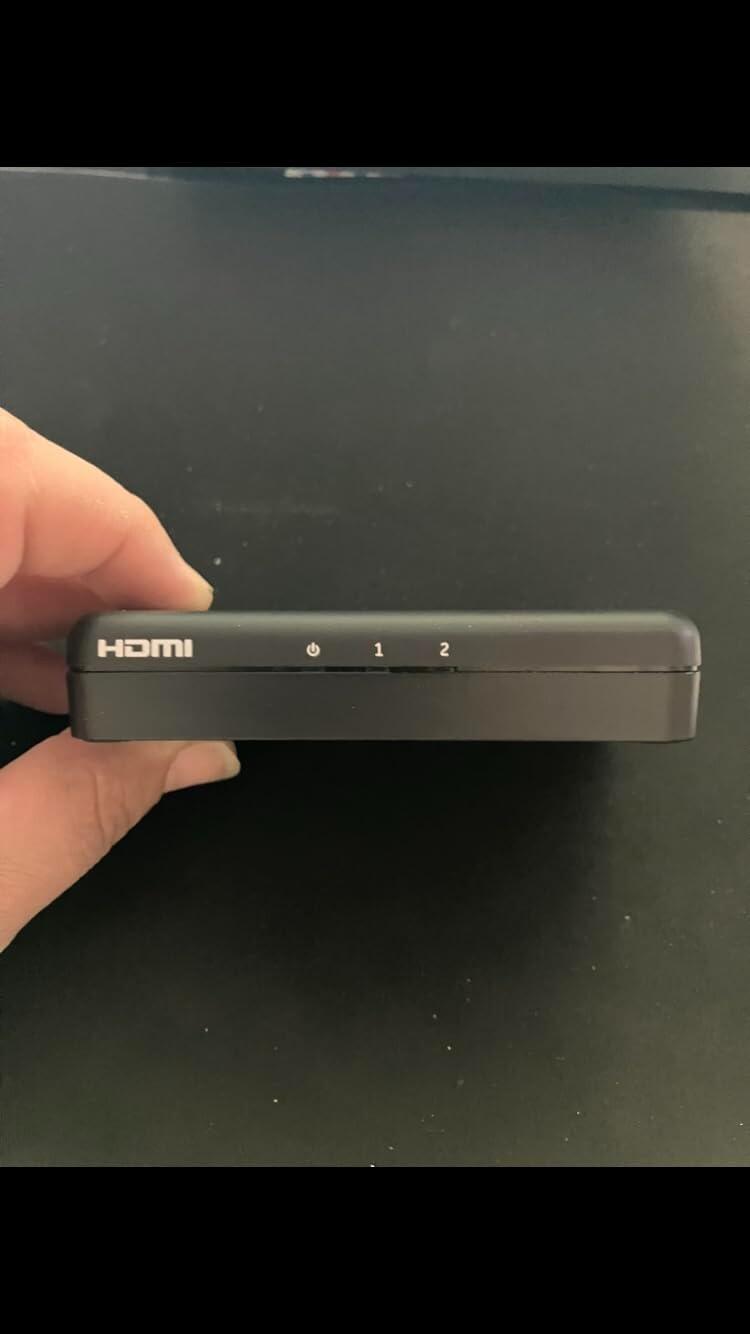
This is a tiny, lightweight plastic HDMI splitter that takes up very little space and can easily be mounted to a wall or tucked out of sight. Setup couldn't be much simpler - just plug in the input and outputs, connect power if needed, and it immediately starts working.
There are no buttons, menus, or settings to figure out. Three small LED indicators provide status information, and that's about it. Once everything is connected, it simply does its job.
If you're looking for a straightforward way to mirror a single HDMI source to two displays, this is refreshingly uncomplicated. It doesn't try to add extra features or complexity; it just works right out of the box and delivers exactly what most people want from an HDMI splitter.
Product: 4K HDMI Splitter 1 in 2 Out (Mirror Only)
I ordered this with the intention of expanding my work desktop and using a dual screen setup. Unfortunately (and totally my fault) this device only mirrors the screen. I think this is better suited for something like a bar or maybe a two player video game setup where you want the same video on all screens. I won't knock down my review just because I didn't pay attention, so I will review this for what it is and what it was intended for.
That said, the device itself works perfectly. It's compact and discreet without taking up much space. When I tested it, the connection was strong and clear. I didn't have any issues with video output quality or anything like that. My screens are not 4K quality, so I cannot attest to the 4K quality. It was incredibly simple and easy to set up and had no compatibility issues that I encountered.
Overall, while it wasn't what I needed, it worked exactly as advertised and seems to be a quality product for those that want to mirror a screen across more than one screen.
If you need to mirror one HDMI source to two displays, this splitter gets the job done. It handles 4K at 60Hz and 1080p at 240Hz, which covers pretty much any setup you'd throw at it, whether you're gaming or streaming. The auto downscaling feature is a nice touch because it detects what each display can handle and adjusts accordingly, so you're not dealing with black screens or manual configuration.
Build quality feels sturdy and the signal transmission has been stable. It supports HDR, Dolby Vision, and HDCP 2.2, so you're not losing out on any of the good stuff your source device puts out. Just keep in mind this is a mirror-only splitter, meaning both screens show the same content. Extended desktop mode is not supported, so if that's what you need, this isn't the right pick.
For anyone wanting a dependable way to duplicate a 4K signal to two screens without fussing over compatibility issues, this does exactly what it advertises.
I stream sometimes and needed to split my signal to two monitors. Been using this SHERRIVA thing for about two months now.
The resolution stuff happens automatically. I plug in whatever displays and it sorts itself out. My main monitor does 4K, the streaming one is just 1080p. Works fine with both connected.
It's small. Fits in my palm, weighs nothing. I shoved it behind my PC where I can't see it. There's a green light that comes on when it's active. After a few minutes with no signal it turns itself off, which I actually like because I forget to power down my gear half the time.
I've pushed 4K 60Hz through this without problems. Also high refresh 1080p gaming. The 18Gbps bandwidth is more than I need but good to have headroom. HDR from my PlayStation comes through clean on both screens. My old splitter (some no-name Amazon thing) would just show black screens when I mixed different display types. This one actually handles the resolution differences. The remote control is nice and its easy to setup.
Netflix works on both outputs now. My previous splitter had HDCP issues and streaming services would block one of the displays. Audio syncs properly on both sides too.
The mix downscaling feature is why I picked this over the cheaper options. When you have mismatched displays it actually makes them work together instead of just failing.
It does what I needed without any headaches.